
Resonance: A Plague Tale Legacy PC Recommended Settings
How to tune the Zouna engine, what the 75 GB install includes, and what each upscaler does at 1080p, 1440p, and 4K.
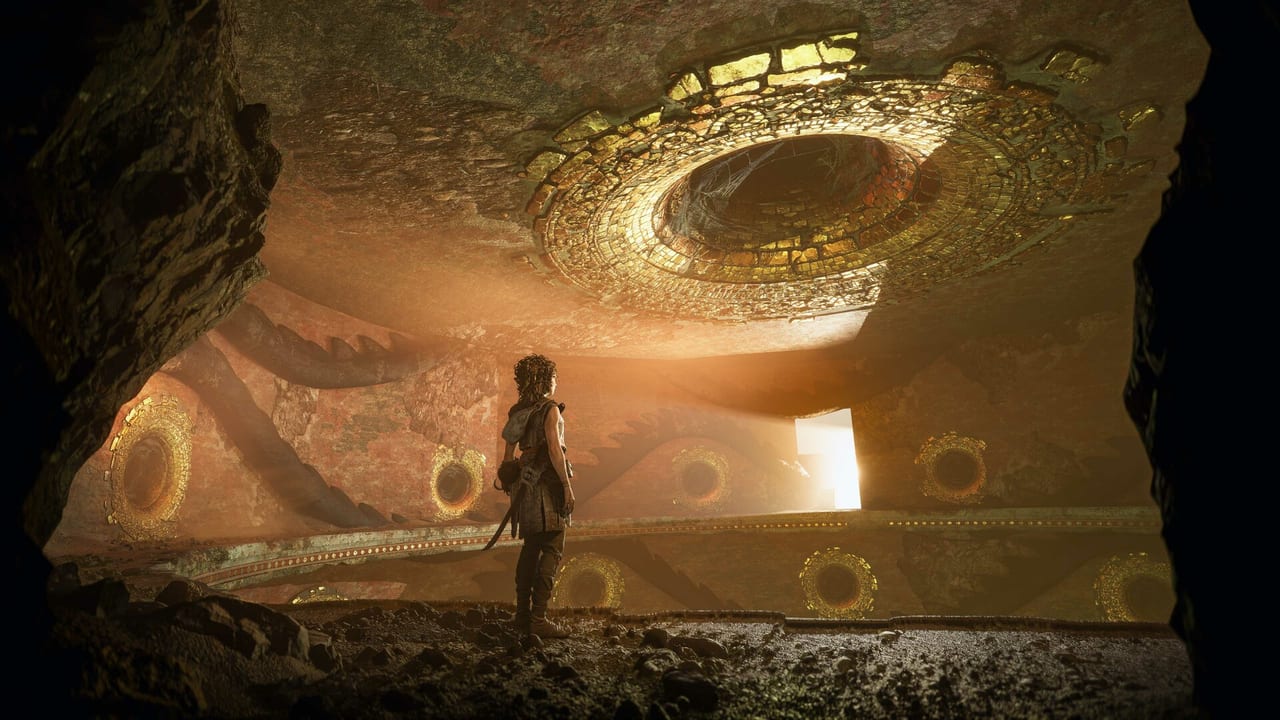
Resonance: A Plague Tale Legacy runs on Asobo’s internal Zouna engine, the same one used for A Plague Tale: Requiem. The PC build is single-player only, ships with full DLSS 4.5, FSR 4, FSR 3.1, FSR 2, TAAU, DLAA, FSRAA, and DLSS Multi-Frame Generation. The Steam listing asks for an SSD at minimum and that is enforced by the engine — HDD installs load slowly but work. The full install is 75.84 GiB on disk (54.29 GiB compressed download). This page covers the real settings, the real system requirements, and the real trade-offs that the launch build exposes. For the engine-versus-console comparison see the performance page and the controls reference.\n\n## What the Steam listing actually requires\n\nThe Steam store and PCGamingWiki agree on the official spec: minimum is 1080p Low at 30 fps, recommended is 1080p Ultra at 60 fps, and the engine demands an SSD and DirectX 12 Shader Model 6.6. The full table from the Steam store is reproduced verbatim below.\n\nMinimum: Windows 10/11 64-bit, AMD Ryzen 3 3100 or Intel Core i3-12100, 16 GB RAM, 6 GB VRAM with AMD Radeon RX 5500 XT or Nvidia GeForce GTX 1060, DirectX 12, 75 GB SSD. Targets 30 fps at 1080p on the Low preset.\n\nRecommended: Same OS and 16 GB RAM, AMD Ryzen 5 5600X or Intel Core i5-12400F, 8 GB VRAM with AMD Radeon RX 6700 XT or Nvidia GeForce RTX 3060 Ti. Targets 60 fps at 1080p on the Ultra preset with no upscaling and no frame generation.\n\nBoth rows require a CPU with 4 cores / 8 threads. The game is single-threaded for combat and uses the additional threads for streaming and animation. A 4-core CPU meets the floor; 6 cores helps Chapter 4 Venice crowds and the Chapter 11 Minotaur arena.\n\n## Storage: SSD is real, not a suggestion\n\nThe engine installs to the Steam library and uses ~75.84 GiB on disk. The engine streams a heavy Minoan environment with high-resolution textures and full FAT volumes. HDD installs work but Chapter 2 to Chapter 3 and Chapter 7 to Chapter 8 transitions hitch badly. NVMe drives bring the opening sequence load below 12 seconds on a 7th-gen Ryzen.\n\nIf you cannot install to an SSD, the engine will run but you will see streaming stutter in the open zones. The launch community has flagged this as the single biggest reason for poor 1.0 reviews on hardware that otherwise meets the spec.\n\n## Resolution and target frame rate\n\n- 1080p / 60 fps — the recommended target. An RTX 3060 Ti or RX 6700 XT holds 60 fps at 1080p Ultra with no upscaling and no frame generation, which is the Steam-recommended spec line.\n- 1440p / 60 fps — RTX 4070 / RX 7800 XT class on Ultra with DLSS 4.5 Quality or FSR 4 Quality. Without an upscaler, expect drops in the Chapter 4 Venice crowds and the Chapter 11 Minotaur arena.\n- 4K / 60 fps — RTX 4080 / RX 7900 XT class on Ultra with DLSS 4.5 Quality. Native 4K without an upscaler is rare; most PC players run DLSS Performance to hold the 60 fps line.\n- 120 Hz / 144 Hz — supported on PC. The campaign does not have a high-frame-rate cap. Above 120 fps the cinematic sequences stay locked at 24 fps as a stylistic choice, which is intentional and not a bug.\n\n## Display mode and V-sync\n\nThe game labels Borderless Windowed as Fullscreen in the graphics menu — the actual Fullscreen Exclusive option is in the launcher. V-Sync has four states: On, Off, Half, Third, Quarter. The PCGW community note is critical: setting a frame-rate cap in-game disables V-Sync, so an external frame-rate limiter (RTSS, Nvidia Inspector, Special K) is required if you want a hard cap with V-Sync on.\n\nIf your panel is G-Sync / FreeSync Premium, leave V-Sync off in the game and on in the driver. This is the canonical G-Sync config and the engine respects it.\n\n## Anti-aliasing: TAA, DLAA, FSRAA\n\nThe graphics menu offers three anti-aliasing modes: TAA (the temporal default), DLAA (Nvidia native AA at display resolution), and FSRAA (AMD equivalent). DLAA at 2560×1600 gives a noticeably sharper picture than DLSS Quality at the same target — the PCGW community has tested this with SharpenAmount bumped to 0.6 in ENGINESETTINGS.\n\n## Upscaler comparison on Zouna\n\nThe graphics menu exposes six upscaler paths: TAAU, DLSS 4.5, FSR 4, FSR 3.1, FSR 2, plus a Native option. Frame generation is a separate menu with DLSS Frame Generation, DLSS Multi-Frame Generation, and FSR Frame Generation. At 4K Quality preset the four DLSS/FSR variants are within 1 dB of each other on image quality; at 1440p Performance the gap widens — DLSS preserves the rooftop cable reflections, FSR softens them, TAAU sits between the two.\n\nFrame generation is a deliberate choice with real trade-offs. Multi-Frame Generation on a 40-series Nvidia card can triple effective frame rate on the heavy Venice and Minotaur sequences, but introduces latency that mouse-and-keyboard players feel immediately. Leave frame-gen off unless your panel is 120 Hz and you specifically want smoother cinematic sequences.\n\n## Graphics preset recommendations\n\n- Low — 1080p / 30 fps, GTX 1060 / RX 5500 XT class. The Steam-minimum target. Use only for first-launch verification, not for a first playthrough.\n- Medium — 1080p / 60 fps on RTX 2060 / RX 5600 class. Recommended floor for a first playthrough on PC.\n- High — 1080p / 60 fps or 1440p / 60 fps with upscaler on RTX 3060 / RX 6650 XT. Recommended default for mid-range hardware.\n- Ultra — 1440p / 60 fps with upscaler, or 4K / 60 fps with DLSS 4.5 Performance, on RTX 4070 / RX 7800 XT. Highest preset.\n- Custom — what most PC players should use. Detailed settings below.\n\n## Per-setting behaviour\n\n- Texture quality — heavy on VRAM. 8 GB cards should drop to High; 12 GB cards stay Ultra. Anisotropic filtering rides on the Texture quality slider (8× max).\n- Shadow quality — biggest CPU cost in outdoor chapters. Drop to Medium if you cannot hold 60 fps at 1440p with everything else on High. Ray-traced shadows can be forced on in ENGINESETTINGS but appear glitchy in launch builds — do not rely on this until a patch lands.\n- Volumetric lighting and fog — fixed cost. Looks great on the Chapter 8 marshes and the Chapter 12 finale.\n- Crowd density — independent slider. Affects the Chapter 4 Venice and Chapter 9 Lisbon harbor sequences.\n- Depth of field — independent slider. Strong DOF masks frame-pacing dips; weak DOF exposes them. Leave at default.\n- Motion blur — leave at default. The engine has a subtle cinematic motion blur that ties combat to exploration. Removing it makes the parry timing feel inconsistent.\n- Chromatic aberration, film grain, vignette, dirt on camera — purely cosmetic. All four can be disabled in ENGINESETTINGS under PostProcess if you have a calibrated panel.\n- Sharpening — Zouna exposes SharpenAmount in ENGINESETTINGS for fine control; 0.6 reads well on 2560×1600 with DLAA.\n\n## HDR and color\n\nThe engine ships with an HDR Luminance mid-point slider without numeric values; you set a recommended default for your panel and the engine scales from there. The game is calibrated to play on a 1000-nit HDR display; on a 600-nit panel you will need to drop the mid-point slider below default to avoid washed-out highlights.\n\nColor-blind support is unusually thorough: Standard, Deuteranopia, Protanopia, Tritanopia, and Custom. Custom lets you remap specific hues via a per-channel curve.\n\n## Ultra-wide and multi-monitor\n\n21:9 ultra-wide (3440×1440) is supported with Hor+ scaling in both gameplay and cutscenes, with small black bars at the edges. The community has confirmed that Rose’s UltrawideFix (originally written for A Plague Tale: Requiem) removes the small black bars on this build. 32:9 super-ultra-wide is not officially supported.\n\nMulti-monitor works in Borderless Windowed; the cursor leaves the primary display and returns cleanly.\n\n## PC-specific input and QoL\n\n- Mouse and keyboard — full remap supported, persists across launches.\n- Steam Input — DualSense and DualShock 4 are both supported over USB and Bluetooth. Adaptive triggers work on PC with a wired DualSense.\n- Controller remap persistence — PCGW has documented a launch bug where controller remaps get reset on the next launch. This is a known issue, not a setting mistake.\n- Photo mode — fully featured, save up to 100 shots per playthrough.\n- FOV slider — 60 to 90 degrees. 75 is the design default and the comfortable midpoint.\n- Subtitles and UI scale — separated. UI scale at 100 % is the design default. Bump to 125 % on 4K panels if text is small.\n- Crosshair colour — selectable in the gameplay menu. Useful for high-contrast zones in the marshes and the lava caves.\n\n## Audio routing\n\nThe audio mixer has seven independent sliders: Master, Dialogue, Music, SFX, Controller Speaker, Ambient, and Menu volume. Surround profiles are Hi-Fi (soundbars / stereo), TV, Headphones, and Home Theater (Dolby Atmos, 7.1, 5.1). 3D Audio requires Dolby Atmos spatial sound on Windows. Mono audio is also available.\n\n## Configuration file and known patches\n\nThe configuration file lives at %APPDATA%\\Resonance A Plague Tale Legacy\\ENGINESETTINGS on Windows. The Steam Cloud quota is 95.37 MiB / 20 files (SteamDB-documented). The launch build is 24773053 on the public branch; expect this to change with each patch. If you experience hard crashes after a patch, verify local files through Steam and ensure VC++ 2022 redistributable is installed.\n\n## Common PC issues at launch\n\n- Stuttering in Chapter 9 — shader compilation hitch on the Lisbon harbor set piece. Cap the frame rate to 60 fps the first time through and let the shader cache build. The second pass is smooth.\n- Mouse acceleration despite raw input — Windows Enhance Pointer Precision adds OS-level mouse acceleration. Disable it in Windows mouse settings.\n- Controller remap gets reset — known launch bug (PCGW). Keyboard/mouse remaps are not affected.\n- HDR looks washed out — drop the HDR mid-point slider below default on 600-nit panels.\n- Audio crackling on Realtek onboard — switch the audio buffer to 1024 samples in the Windows audio control panel.\n- Crashes on alt-tab — alt-tab only on Borderless Windowed (labelled “Fullscreen” in the menu). The Fullscreen Exclusive launcher option has known alt-tab recovery bugs on certain Nvidia drivers.\n- Force ray-traced shadows — works in ENGINESETTINGS but appears glitchy at launch. Leave it off until a patch.\n- Skip intro videos — add -FastLaunch to the Steam launch arguments.\n\n## Save data and Steam Cloud\n\nSteam Auto-Cloud is not configured for this app — SteamDB confirms save files live in the local [Steam Install]/userdata/{Steam3AccountID}/2713000/ folder unless you back them up manually. Manual copy-out before a patch is the safe play. Cloud sync of settings is on via Steam Cloud for the user profile.\n\n## Linux and Steam Deck\n\nProtonDB lists the game as a launch candidate. Steam Deck Verified profile exists — the engine reports steamdecktouchscreen: 5 in SteamDB, indicating native touch support. The Steam Controller template index is 2 (DualSense / Xbox layouts). For Proton-specific quirks see the PC settings community page comments or the controls reference.\n\n## Skip intro videos and launch arguments\n\nThe supported launch arguments at launch are -FastLaunch (skip intro videos) and -crashRpt -disableExceptionPopup (which routes through Resonance_DEV_x64.exe, the dev build with crash reporting). PCGW recommends -FastLaunch for any player replaying the campaign.
Frequently Asked Questions
Quick answers to the most common questions.
Does the game require an SSD?
Yes — both the Steam-minimum and Steam-recommended specs list SSD as required. The engine streams a heavy Minoan environment and HDD installs load but show streaming stutter in the open zones.
How big is the install?
75.84 GiB on disk per SteamDB; compressed download is 54.29 GiB. Plan for the full 75.84 GiB on your target drive.
Does the game support DLSS, FSR, and XeSS?
DLSS 4.5 (including DLSS Frame Generation and DLSS Multi-Frame Generation), FSR 4, FSR 3.1, FSR 2, and TAAU are all in the graphics menu. There is no XeSS path on the Zouna engine at launch.
What is the difference between Borderless and Fullscreen Exclusive here?
The in-game graphics menu labels Borderless Windowed as 'Fullscreen'. The actual Fullscreen Exclusive option lives in the launcher and is the safer choice for alt-tab on certain Nvidia drivers.
Why does my mouse feel inconsistent despite raw input?
Windows Enhance Pointer Precision adds OS-level mouse acceleration even with raw input on. Disable it in the Windows mouse settings.
Will my save files sync to Steam Cloud?
Steam Auto-Cloud is not configured at launch. SteamDB shows saves live in the local userdata folder; back them up manually before a patch.
Is HDR supported?
Yes. The engine ships with an HDR Luminance mid-point slider; on 600-nit panels drop the slider below default to avoid washed-out highlights.
Does the engine use kernel-level anti-cheat?
No. The campaign is offline single-player. No EAC, BattlEye, or Vanguard. This is a clean PC build.
Are 21:9 ultra-wide screens supported?
Yes. 3440×1440 is Hor+ in both gameplay and cutscenes with small black bars at the edges. Rose's UltrawideFix from the Requiem era removes those bars on this build.
Can I force ray-traced shadows?
Yes, via the ENGINESETTINGS file, but they appear glitchy at launch. PCGW recommends leaving RT shadows off until a patch.