
Resonance: A Plague Tale Legacy PC Performance Guide
Fix shader stuttering, optimize settings, and get stable 60 FPS on Steam, Epic, and PC Game Pass.
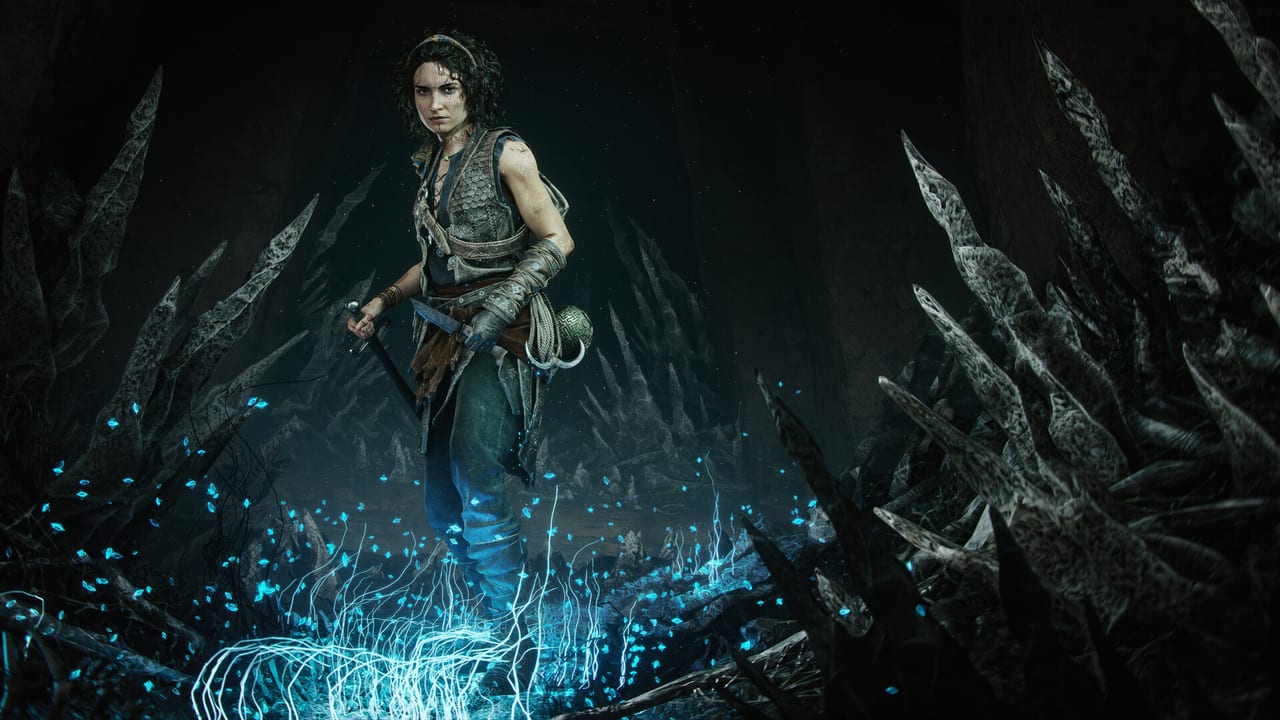
Resonance: A Plague Tale Legacy launched on August 27, 2026 with a shader compilation issue that causes noticeable frame pacing stutters on PC. Asobo Studio acknowledged the problem in a September 2 Steam community post and deployed a shader precompilation hotfix for PC Game Pass on September 3. Steam and Epic players still rely on workarounds until a numbered patch lands. This page collects the known issues, community-tested fixes, and the official status of each fix.
The game runs well on console: base PS5 and Xbox Series X offer 30, 40, and 60 FPS modes. PS5 Pro adds PSSR options. Series S targets 1080p. Digital Foundry’s technical review noted camera clipping and isolated software crashes but no systemic issues on console.
Known PC issues (September 2026)
The dominant PC issue is shader compilation stuttering caused by the dual-timeline mechanic. Sophia frequently shifts perception between 1334 and the Minoan past, swapping complex environmental assets on the fly. Unlike the more linear shader sequences in Innocence or Requiem, this rapid swapping prevents efficient pre-compilation, leading to hitching whenever a new asset combination appears.
Shader stuttering — The most reported issue. Occurs most frequently in:
- Chapter 3 onward when the sphere is used in dual-timeline areas
- Chapter 8 (Resonance) which is entirely dual-timeline
- Chapter 11 (Patera) and Chapter 13 (As One) where past/present transitions are constant
- First visit to any new region (shader cost is front-loaded)
Steam Deck issues — Steam lists the game as Playable (not Verified). Steam Deck HQ’s launch review recorded 30 FPS in most areas with CPU spikes and a crash at the start of Chapter 9 after a cutscene. Save frequently around Night Has Come on handheld.
PC Game Pass (Microsoft Store) — A September 3 hotfix targets shader precompilation on the Microsoft Store build only. It does not affect Steam or Epic. The hotfix is live as of September 4, 2026.
Xbox App download bug — A widespread report describes downloads stalling at 15–18.5 GB out of 65 GB total. Workarounds: pause the download, restart the PC, and resume. Success rates vary. Neither Microsoft nor Asobo has officially acknowledged this delivery issue.
Settings that help
These are community-tested and reported across Discord, Reddit, and Steam community threads. No setting below is officially endorsed by Asobo.
High-priority fixes
Disable frame generation — If your GPU supports frame generation (NVIDIA DLAA, AMD FSR2 Frame Generation), turn it off. Frame generation compounds shader stuttering by introducing an additional frame dependency chain. Turn it on only after shaders are compiled.
Use a frame cap — Set a frame cap at your monitor’s refresh rate or slightly below (e.g. 57 or 59 FPS for a 60 Hz display). This reduces the severity of shader hitches by preventing the GPU from racing ahead of shader compilation. External tools (NVIDIA Inspector, Radeon Software) work if in-game caps are limited.
Enable V-sync — Turn V-sync on from the in-game settings or your GPU control panel. V-sync synchronizes frame delivery and smooths the appearance of stuttering even if it adds a small amount of input latency.
Run the game once through each chapter — The first time you enter a new area, shader compilation happens in real-time and causes the worst hitching. A second playthrough of the same chapter runs smoothly because shaders are cached. This is not a permanent fix but it means the second run through any chapter is noticeably smoother.
Medium-priority adjustments
Shadow quality — Set to Medium or High. Shadows in Resonance are light-beam dependent; reducing shadow quality below Medium does not significantly improve performance but can introduce visual artifacts on beam puzzles.
Texture quality — Set to High or Ultra only if you have more than 8 GB of VRAM. The game textures Minoan ruins at high resolution; an 8 GB GPU at 1440p Ultra may attempt to compile too many unique shader variants.
Ambient occlusion — Turn off if you are below 60 FPS and experiencing shader stutters. SSAO is not a primary visual tool in Resonance; the sphere’s light beam and lantern are the primary environmental lighting.
Ray tracing / path tracing — Do not enable on any GPU below an RTX 4070 or RX 7800 XT for this title. The dual-timeline mechanic creates too many unique shader permutations for ray tracing to compile cleanly at launch.
Volumetrics — Set to Medium. The game’s volumetric fog is used sparingly; the main atmospheric effect is dust motes in light beams, which are a 2D particle system, not a volumetric ray.
Settings that do not help much
Draw distance — Resonance is a corridor game. Draw distance does not significantly affect shader compilation because asset streaming is sequential, not distance-based. Anti-aliasing — The default (usually TAA) is acceptable. Reducing AA to FXAA reduces shader complexity only marginally and hurts the crispness of the sphere beam edges. Particle effects — The game’s particles are CPU-side; they do not trigger shader compilation.
ENGINESETTINGS tweaks (advanced)
For Steam and Epic players who cannot wait for a numbered patch, the following ENGINESETTINGS changes have been reported in the community as reducing shader stutter. These are not officially supported. Back up your config before editing.
The config file is typically at: %LOCALAPPDATA%\Resonance\Saved\Config\Windows\ENGINESETTINGS.ini
r.ShaderPipelineCache.Enabled — Set to 1 to enable the shader pipeline cache. This forces the game to build and persist a shader cache between sessions. The first run with this enabled will be slower than normal but subsequent runs should stutter less.
s.AsyncComputeEnabled — Set to 0 to disable async compute. This forces shader compilation to happen synchronously, which can reduce the random hitching pattern at the cost of slightly lower average frame rates. Some players report more consistent frame pacing with this off.
r.VolumetricCloud.FakeLightScrollSpeed — Setting this to a lower value (e.g. 0.5 instead of default) reduces the rate at which the game recompiles atmospheric shaders during scene transitions.
These changes are speculative and may cause visual artifacts. They are documented here for completeness.
Steam Deck specific
Steam Deck runs the game at a capped 30 FPS in most areas. The most consistent issues are:
- CPU spikes in Chapter 3 and beyond
- Crash at the start of Chapter 9 after the cutscene
- Shader stutters in dual-timeline sections
Save extra often around Night Has Come (Chapter 9). If the Chapter 9 crash occurs, revert to your last save and enter Chapter 9 directly from the chapter select if you have one nearby. The crash is related to a memory allocation during the transition, not a missing asset.
Steam Deck OLED users should set brightness to 80–90% for HDR calibration notes. See the HDR calibration page for per-panel midpoint values.
Console performance
Digital Foundry’s technical review noted the following console performance characteristics:
- Base PS5 and Xbox Series X offer 30, 40, and 60 FPS modes
- PS5 Pro adds PSSR (PlayStation Spectral Super Resolution) options
- Xbox Series S targets 1080p resolution
- Camera clipping occurs in tight corridors on all consoles
- Isolated software crashes rarely wrecked a session on PS5 and Xbox Series X
- No systemic stuttering on console because the shader pipeline is pre-compiled on disc
Official patch status (September 4, 2026)
| Date | Platform | Fix | Status |
|---|---|---|---|
| Sep 3, 2026 | PC Game Pass only | Shader precompilation hotfix | Live |
| Sep 2, 2026 | All | Asobo acknowledged shader stuttering on Steam | Official acknowledgment only |
| Aug 27, 2026 | All | Launch build | Baseline |
Steam, Epic, PlayStation 5, Xbox Series X|S, and Steam Deck still have no numbered patch for shader stuttering. The patch notes page tracks this. The September 3 Game Pass hotfix does not affect Steam.
How this page connects to the rest of the wiki
- Patch notes — live bulletin of what Asobo has officially posted.
- Steam Deck — handheld-specific notes and the Chapter 9 crash workaround.
- Best settings — per-preset verified settings for 1080p, 1440p, 4K, and ultrawide.
- HDR calibration — per-panel HDR midpoint values.
- Launch arguments — -FastLaunch and safe video tweaks.
Frequently Asked Questions
Quick answers to the most common questions.
Why does Resonance stutter so much on PC?
The dual-timeline mechanic causes rapid shader permutations. Every time Sophia shifts between 1334 and the Minoan past, the game compiles new asset combinations in real time. Asobo acknowledged this on September 2 and a Game Pass hotfix arrived September 3.
Is there a fix for Steam?
Not yet. The September 3 hotfix targets PC Game Pass only. Steam and Epic players should use the workarounds: disable frame generation, use a frame cap, enable V-sync, and run each chapter once to warm up shaders.
Does frame generation make stuttering worse?
Yes. Frame generation compounds the stuttering because it adds a frame dependency chain on top of shader compilation. Turn it off until shaders are compiled.
What is the best frame cap for a 60 Hz monitor?
57 or 59 FPS with V-sync on. This gives the GPU headroom to compile shaders without racing ahead and hitching.
Chapter 9 crashes on Steam Deck. What do I do?
Save before entering Chapter 9 and save again at the start of the chapter. If the crash occurs after the cutscene, reload the chapter-start save and enter the chapter directly from Chapter Select if available.
Can I edit ENGINESETTINGS to fix stuttering?
r.ShaderPipelineCache.Enabled=1 and s.AsyncComputeEnabled=0 have been reported by the community as reducing hitching. These are not officially supported. Back up your config first.
Does the HDR calibration page apply to Steam Deck?
Only if you have a Steam Deck OLED with HDR enabled. Most Steam Deck users are on LCD panels. See the HDR calibration page for OLED-specific midpoint values.
Console has no shader stuttering, right?
Correct. Console builds pre-compile shaders from disc. The stuttering issue is PC-only, primarily on Steam, Epic, and the Microsoft Store version (before the September 3 hotfix).